Public beta
Play the beta. Free, unlimited, on TestFlight.
Yardage is in a public beta through Apple's TestFlight. Two minutes to set up, no account, and unlimited rounds at no charge while the beta runs. Here's exactly what happens when you tap the button.
Get the free betaiPhone only. Unlimited rounds free while the beta runs. Feedback goes to support@theyardageapp.com with Beta in the subject.
What TestFlight is
TestFlight is Apple's app for trying apps before they're on the App Store. It installs the beta and tells you when a newer build is ready. Apple makes TestFlight, distributes it, and checks each beta build before it reaches testers.
Install TestFlight
TestFlight is free on the App Store, and you sign in with the Apple ID you already use. No Yardage account needed.
Open the join link on your iPhone
Tap the button on this page. TestFlight opens, shows Yardage, and asks you to Accept, then Install. If you're reading this on a computer, the download page has a code to scan with your iPhone camera.
Play a round
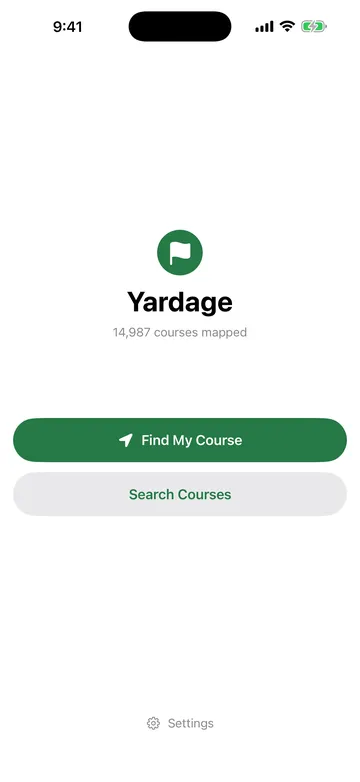
Open Yardage. Tap Find My Course, pick your hole, and the number is there. The Lock Screen and Dynamic Island show it during the round without unlocking.
Good to know
- Builds expire. Apple makes every TestFlight build stop working after 90 days. While the beta runs, TestFlight offers each newer build; if you see an expiry message, open TestFlight and tap Update.
- Purchases are separate. Rounds in the beta are free, with no card required. The App Store version starts with a free first round, then a single round, a month or a year through Apple.
- No account, no data to lose. There's nothing to migrate: no account and no round history. The privacy policy covers beta builds in a section of their own.
- Apple caps public betas at 10,000 testers. If the Yardage beta ever fills, this page will say so.
- Precise Location has to be on. If the app shows a reduced-accuracy state, check Settings, Apps, Yardage, Location, Precise Location. Whole-yard distances aren't possible with approximate location, and the app won't pretend otherwise.
What we'd like you to try
Play a normal round. Then tell us the boring things: what confused you on the first screen, what the number did under trees, whether the Lock Screen kept up in the cart, whether Next felt right when you walked off a green. Two sentences to support is plenty, and a person reads every one.
If a green looks drawn in the wrong place, don't email. Use "Green looks wrong?" on the round screen and hold to mark where the green really is. It sends the hole and two coordinates, and a person checks it before the map changes.

Beta questions
Is TestFlight safe?
TestFlight is Apple's own app for trying apps before they're released. It's on the App Store, it's free, and Apple checks each beta build before it can go out through a public link. You install Yardage through it the same way you'd install anything else.
Does the beta cost anything?
No. While the beta runs, testers get unlimited rounds at no charge. No card, no account.
What happens when the app is on the App Store?
You install the App Store version. There's no account and no data to carry over, and the App Store version gives you a free first round. TestFlight builds stop working when they expire, 90 days after each build.
TestFlight says the beta has expired. Now what?
Open TestFlight and tap Update on Yardage. Apple makes every beta build expire after 90 days, and a newer build is normally waiting. If something still looks wrong, email support@theyardageapp.com with Beta in the subject.
Can I use the beta in a club event?
Yardage follows the same rule as any distance-measuring device, beta or not: allowed under the Rules of Golf unless a Local Rule for that event prohibits them. Yardage shows distance only. Check your event's Local Rules.
Two minutes to the first number.
iPhone only. Free during the beta, with unlimited rounds. Tell us what you find.
Get the free beta