Download
Get Yardage on your iPhone.
One number: GPS distance to the center of the green, on screen and on your Lock Screen. 14,987 courses in all 50 states. No account, no ads.
iPhone. TestFlight. Unlimited rounds free during the beta.
Reading this on a computer?
Point your iPhone's camera at the code. It opens the free public beta in TestFlight, Apple's app for trying apps before they reach the App Store. Nothing to type.
On Android?
Yardage is iPhone only. There's no Android app, and we're not going to say one is "coming soon" when there's no date. If you'd like to hear if that changes, leave an email. You'll get one message if it happens, and nothing else.
Yardage is iPhone only, for now
Leave an email and we'll tell you if that changes. We won't send anything else.
What you need
- An iPhone. Yardage isn't on Android, Apple Watch, or the web.
- Location access while using the app, with Precise Location on. The app asks the first time you start a round. Without precise location there's no honest way to show a whole-yard distance, so the app shows a reduced-accuracy state instead of a made-up number.
- iOS 18 or later. Every iPhone that runs it shows the number on the Lock Screen during a round; the Dynamic Island needs an iPhone that has one.
- No cell signal required once your course is loaded. Course maps ship inside the app.
Check your course first, if you like
14,987 US courses are mapped. Search yours.
No match yet. Try a shorter name, the town, or a different spelling. If it really is not here, tell us and we will check it.
Course not listed? Tell us.
Some courses aren't in Yardage yet. Give us the name and town and we'll look.
Not listed? Tell us the course. What the app does, in one page: Yardage. Prices and plans are on the pricing page, the beta page covers TestFlight and the move to the App Store, and everything else is in the FAQ.
After you install
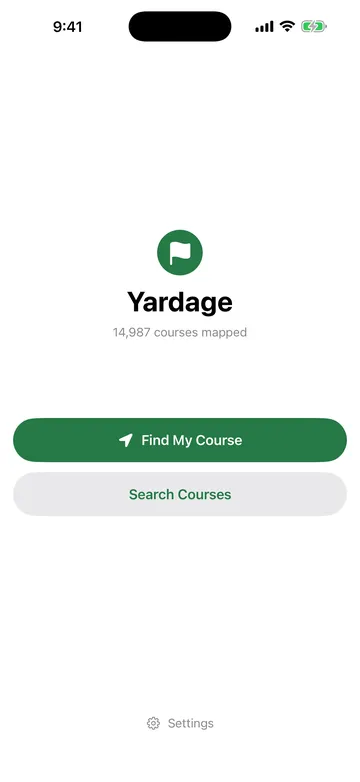
Open Yardage and tap Find My Course
It checks your location once and lists nearby courses. Or search by name from the Start screen.
Start the round and pick your hole
The number appears. Lock the phone; it's on the Lock Screen too.
Tap Next as you go
Walk off the green, tap Next, hit. Rounds are free and unlimited during the beta.
Distance to the green. Nothing else.
iPhone. TestFlight. Unlimited rounds free during the beta.